
The Concept: Quick & Reliable Display Testing
Buying a new monitor, TV, or smartphone is always exciting, but the fear of "dead pixels" or color inconsistency is real. Monitor Pixel Test was born from a simple need: a lightweight, no-install utility to quickly scan any display for defects using the human eye.
The app provides a series of high-contrast color swatches (Red, Green, Blue, White, Black) that fill the entire screen, making it incredibly easy to spot any stuck or dead pixels. It also includes a Dynamic Test engine that can cycle through colors at specific frequencies, helping to identify more subtle ghosting or transition issues.
Application Interface
The interface is designed for simplicity and focus. A collapsible sidebar houses all controls, while the rest of the screen is dedicated to the color test surface. Users can easily switch colors, start dynamic sequences, or even configure custom colors for specific testing needs.
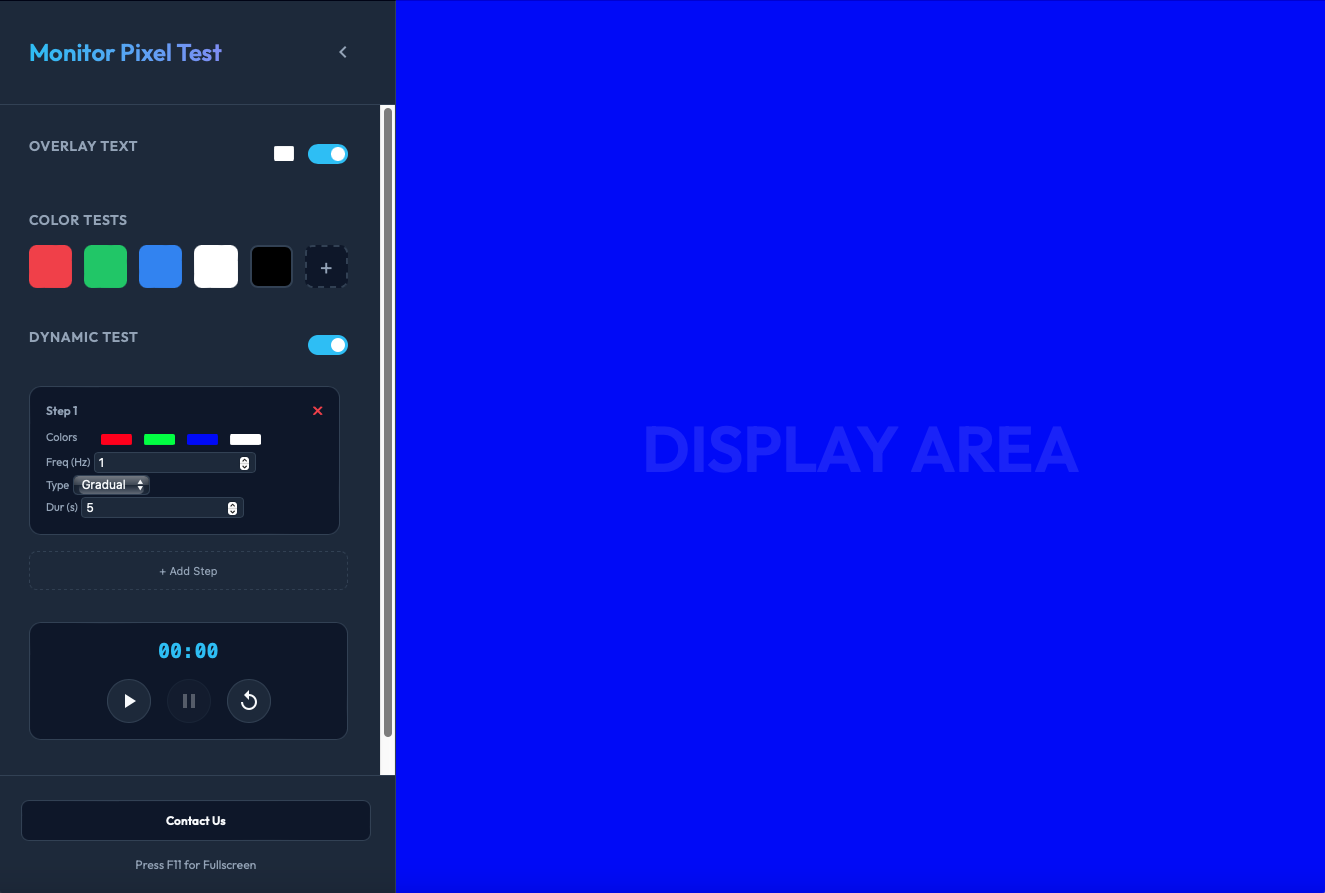
Fig 1 — Monitor Pixel Test main interface with sidebar controls and color selection
Tech Stack
Built as a pure client-side application, Monitor Pixel Test relies on modern web standards for performance and compatibility across devices.
The "Dynamic Test" engine uses a high-frequency interval to perform color interpolation and flashing, ensuring smooth transitions. The UI leverages CSS Flexbox and Grid for a clean, modern layout that adapts from desktops to mobile browsers.
Development Velocity
Leveraging the Agentic Coding methodology, the entire application — from initial layout to the dynamic test engine — was completed and verified in less than half an hour.
⏱ Project Timeline
- ~20 min Implementation — UI layout and testing engine
- ~5 min Testing — cross-browser and mobile verification
- ~2 min Deployment — integration into DataBee
- ~27 min Total time from idea to live application
Project Statistics:
- Total Dev Time: ~20 minutes
- Testing: ~5 minutes
- Deployment: ~2 minutes
- Total Time to Live: < 30 minutes
- Methodology: Agentic Coding
- Orchestration: Antigravity Agent
Conclusion
Monitor Pixel Test is a testament to how quickly useful utilities can be brought to life when focusing on core functionality and modern web standards. It's a small but powerful tool for any tech enthusiast or professional needing to validate display quality on the go.