
Transform any photograph into a stunning mosaic
Transform any photograph into a stunning mosaic — composed of hundreds of your own images, arranged by color to recreate the original scene.
This kind of mosaic application is a textbook example of a project suitable for AI-assisted development. The conceptual idea is simple and clear, but the underlying programming (handling canvas manipulation, folder uploads, color-matching distance calculations, and rendering optimizations) can take a significant amount of time if written manually from scratch.
Application Interface
The final application features a clean, responsive workflow. The user is greeted by a stylish landing page, which transitions into an interactive split-screen workspace (25% left control panel and 75% right visualization viewport) where users can customize layouts, orientations, block counts, overlay opacities, and repeat settings before generating their high-resolution mosaic.
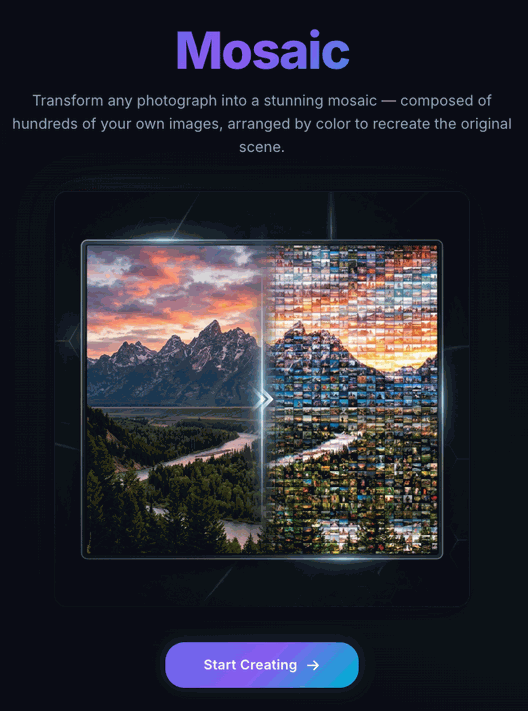
Fig 1 — The landing page of the Mosaic application
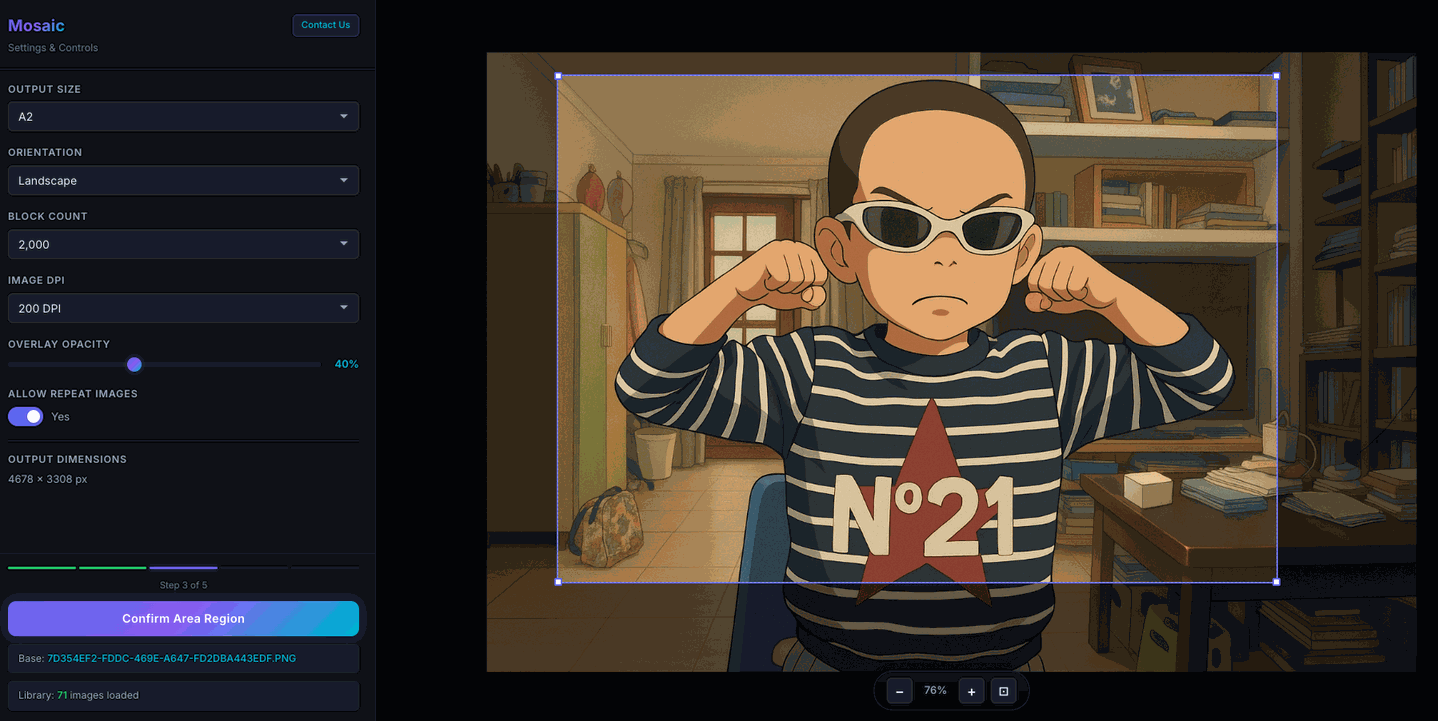
Fig 2 — Selecting and cropping the base photo region with locked aspect ratio
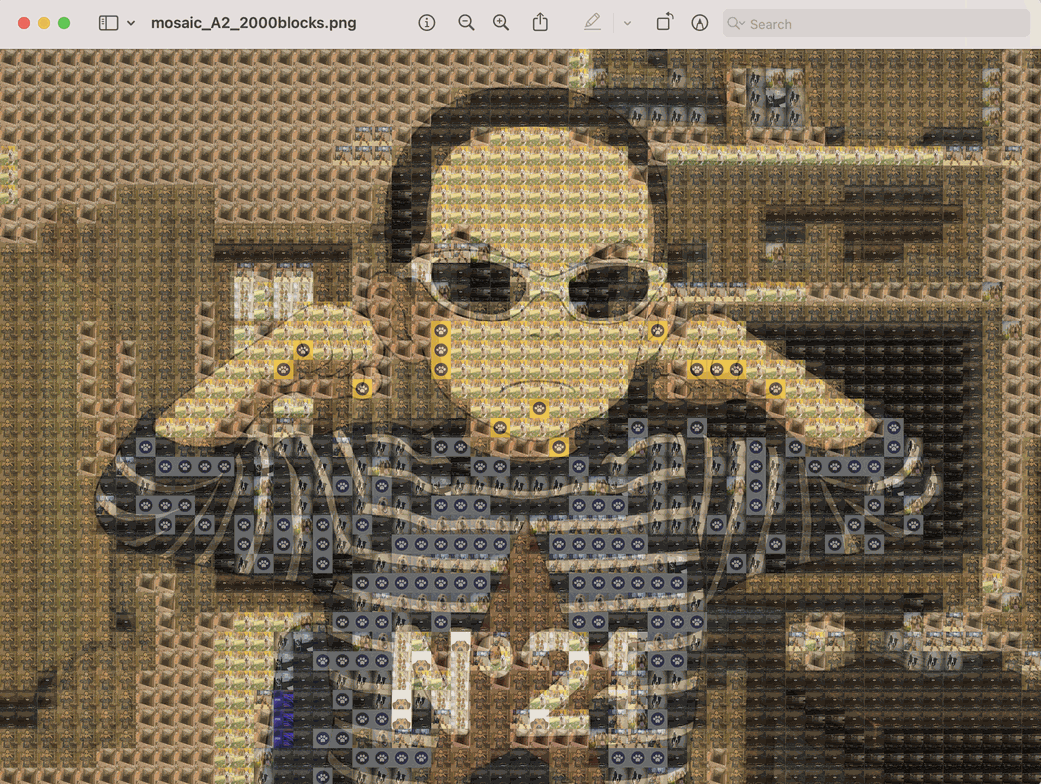
Fig 3 — Processing the mosaic with real-time progress and interactive controls
Tech Stack
Scanning the project codebase reveals a clean, lightweight, framework-free architecture that relies heavily on native web APIs:
How it works:
- HTML5 Canvas: Used to divide the target image into a grid of blocks, analyze the average RGB color of each block, match it against a pre-loaded library of sub-images using Euclidean distance calculations, and overlay the base photo with a configurable opacity.
- Directory Selection: Utilizes the browser's native
<input type="file" webkitdirectory directory multiple>file picker to securely load a directory of local photos into browser memory as object blobs, resolving sandboxing restrictions. - Performance Optimization: Runs color-matching algorithms in asynchronous batches using
requestAnimationFrameto prevent blocking the main browser UI thread, updating a real-time progress bar. - HEIC/HEIF Support: Integrates the
heic2any.min.jslibrary to ensure photos taken on modern mobile devices (e.g. iPhones) are automatically converted to standard web formats on-the-fly. - Centralized Settings: Presets, aspect ratio constraints, and flexible viewport split values are managed centrally in a separate
config.jsfile.
Development Velocity
By detailing requirements in a specification and utilizing the Antigravity agentic coding tool, the development cycle was compressed from days to a few hours.
⏱ Project Timeline
- ~1.0 hour Core coding & UI scaffolding
- ~1.0 hour Testing, edge-case debugging & performance tuning
- ~10 mins Production deployment setup
- ~3.0 hours Total time from initial prompt to live production site
Project Statistics:
- Total Dev Time: ~2 hours
- Total Process Time (Prompt to Production): ~3 hours
- Platform: Browser-based (Responsive Web App)
- Methodology: Agentic Coding (Antigravity Agent)
🚀 Future Roadmap
While the current iteration performs exceptionally well in standard web browsers, the project is structured to easily compile into native wrappers:
- Desktop wrappers: Package the HTML/CSS/JS application using Electron or Tauri to distribute as native
.apppackages for macOS and.exesetups for Windows. - Mobile packaging: Wrap the responsive codebase via Capacitor or Apache Cordova to export to iOS/Android app stores, enabling users to generate mosaics on their phones.